fintrack

FinTrack
A full-featured personal finance manager, built as a Nextcloud app.



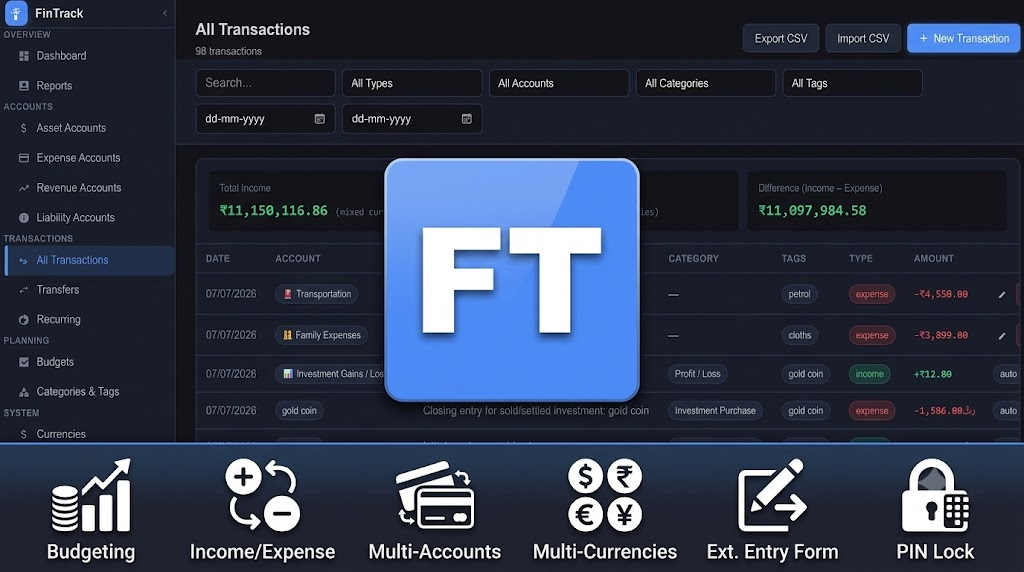
Track accounts, income and expenses, transfers, budgets, and recurring transactions — with full multi-currency support — all stored in your own Nextcloud database. No third-party servers, no subscriptions, no ads.
Table of contents
- Features
- Screenshots
- Installation
- Getting started
- Feature guide
- REST API
- Mobile and Web Clients
- Data & privacy
- Requirements
- Contributing
- Support
- License
Features
- 🏦 Asset, Liability, and Expense accounts — track bank/cash balances alongside spending-category buckets
- 💸 Income & expense transactions with categories, tags, notes, and multi-currency amounts
- 🔁 Inter-account transfers with automatic currency conversion and fuzzy account search
- ⏱ Recurring transactions (daily / weekly / monthly / yearly), posted automatically in the background
- 📊 Budgets with per-category progress tracking
- 🏷 Categories and tags, with rule-based auto-categorization on CSV import
- 🌍 Multi-currency support, with per-transaction exchange-rate snapshots so past transactions never silently re-price when a rate changes later, plus Frankfurter (free, no key) and exchangerate.host (fallback, free key) for online rate lookups, covering currencies like SAR and AED that the free tier alone doesn’t
- 📈 Dashboard & reports — spending by category, monthly trends, asset allocation, upcoming recurring items due in the next 5 days
- 📥 CSV / JSON import & export, with automatic duplicate detection and a preview table before you commit
- 🔗 External entry form & token API — add transactions from a phone home-screen shortcut, browser bookmarklet, or a script, without logging into Nextcloud
- 🔒 Optional app-local PIN lock, layered on top of your Nextcloud login, with session timeout, lockout after repeated failures, and an admin-assisted reset flow if you forget it
- 💾 Automatic backup to Nextcloud Files before any full data reset
- 🗄 All data stored in your own Nextcloud database — nothing leaves your server except optional exchange-rate lookups
Screenshots
Installation
- Open Nextcloud → Apps → Tools, search for FinTrack, and click Download and enable.
- Or install manually: download the latest release from the GitHub repo, extract it into your Nextcloud
apps/directory asapps/fintrack, then enable it under Settings → Apps.
- Or install manually: download the latest release from the GitHub repo, extract it into your Nextcloud
- Requires Nextcloud 32.
- Open FinTrack from the Nextcloud app menu.
Getting started
- Add an account — go to Accounts, choose a type (Asset, Liability, or Expense) and currency.
- Set your base currency — Settings → Currencies — this is the currency all cross-account totals are shown in.
- Add a transaction — Transactions → Add — pick an account, amount, category, and (optionally) tags and notes.
- Optional next steps: set up a budget, a recurring transaction, the external entry form for quick mobile entry, or a Pin Lock PIN.
Feature guide
Accounts
Four account types, each serving a different purpose:
| Type | Use for |
|---|---|
| Asset | Bank accounts, cash, savings, investments — anything you own |
| Liability | Credit cards, loans — anything you owe |
| Revenue | Income-source buckets (e.g. “Salary”, “Freelance”) for income-tracking without a real linked account |
| Expense | Spending-category buckets (e.g. “Groceries”, “Rent”) for expense-tracking without a real linked account |
Each account has its own currency, icon, and color, and can be archived (marked inactive) without deleting its transaction history.
Transactions
Income or expense entries against an account: amount, description, category, tags (free-text, autosuggested from previously used tags), notes, and date. Foreign-currency accounts can carry a per-transaction conversion rate, frozen at entry time, so editing your currency table later never silently re-prices historical transactions.
Transfers
Move money between two accounts in one step. If the accounts use different currencies, FinTrack converts the amount automatically (with an editable rate) and records both legs. Account pickers support fuzzy search for people with many accounts.
Recurring transactions
Set up a transaction template with a frequency (daily / weekly / monthly / yearly) and FinTrack posts it automatically on schedule in the background — no need to open the app on the due date. The Dashboard surfaces everything due in the next 5 days so nothing is a surprise, and you can post an occurrence manually early if needed.
Budgets
Set a spending limit per category (or overall) for a monthly or custom period, in any currency, and track progress with a live progress bar as transactions come in.
Categories & tags
Categories are typed (income / expense / transfer) and carry an icon and color. Tags are free-text and shared across all your transactions with autosuggest. Categories can be exported/imported as a set, or generated from a sensible built-in default list (Groceries, Rent/Mortgage, Entertainment, etc.) with one click.
Multi-currency
Add any number of currencies with a code, symbol, and exchange rate relative to your base currency. Rates can be entered manually or fetched online — FinTrack tries Frankfurter first (free, no API key needed), then falls back to exchangerate.host (requires a free API key, set in Settings → Currency Rate API Key) for currency pairs Frankfurter doesn’t cover, such as SAR or AED. Every transaction, transfer, and total correctly distinguishes between “priced in this account’s currency” and “converted to your base currency for reporting” — and conversions always prefer a transaction’s own frozen rate over today’s live rate, so past totals stay stable.
Dashboard & reports
- Account balances and net worth at a glance
- Income vs. expense trends over time
- Spending broken down by category
- Asset allocation across accounts
- Upcoming recurring transactions due soon
- Filterable transaction reports by account, category, type, and date range
CSV import / export
Export all transactions to CSV or a full JSON backup. Import a CSV with a downloadable template as a starting point; FinTrack shows a column mapping summary (which file header matched which field) and a preview table before anything is committed, with duplicate, update, and invalid rows clearly flagged. Optional rule-based auto-categorization fills in a category from the description when the file doesn’t specify one. Every row that fails validation is reported individually — row number, the column that failed, and why — in an Import Results dialog after the import runs, instead of just a pass/fail count.
Re-importing a file you’ve exported updates matching transactions
instead of duplicating them: each transaction carries a permanent
unique-key(for-updating) — simply its own row id — included
automatically in every export. Leave that column blank on a row to create
a new transaction instead.
External entry form & API
Settings → External Access gives you a token and a shareable link that
lets you (or an automation) add transactions without logging into
Nextcloud — handy for a phone home-screen shortcut, a browser
bookmarklet, or a script. Authenticated by a single API token rather than
a Nextcloud session. See REST API below for the full
request/response format. Both the token and the form link are masked in
Settings and require your Pin Lock PIN to reveal or copy, if one is set.
Opening the link offers to install itself as an app — titled
“FinTrack - <your-domain>” with the same icon as the main app, so
multiple instances stay distinguishable on your home screen — with an
explicit Yes / Maybe Later / Cancel choice remembered locally in your
browser.
Pin Lock
An optional PIN layered on top of your normal Nextcloud login — useful on a shared device or if your Nextcloud session stays logged in. Includes an auto-lock timeout after inactivity, lockout after repeated failed attempts, a self-service security-question reset, and an admin-approval reset flow for when both the PIN and the security answer are forgotten.
Once a PIN is set, choose exactly which actions require it under Protected Actions: exporting transactions to CSV, importing transactions from CSV, viewing Recently Deleted, and/or the External Entry Form — each is its own checkbox, on by default except the External Entry Form (opt-in, since it affects anyone with the form link, not just you).
Settings, backup & reset
Configure base currency, tags, category rules, the external API token, and Pin Lock from one Settings screen. Deleting an account or transaction always asks for confirmation first — account deletion adds a 3-second cancellable countdown on top, since it can’t be undone. Deleted transactions aren’t gone immediately either: the last 100 land in Recently Deleted (a recycle bin) and can be restored any time, or purged for good. A full backup is written to Nextcloud Files automatically before any full data reset, and settings can be restored from a previous backup.
REST API
FinTrack exposes two API surfaces:
/api/*— the full internal API (accounts, transactions, transfers, budgets, categories, currencies, recurring rules, settings, summary). Authenticated by your live Nextcloud session; this is what the web UI itself uses./external/*— a smaller, public, token-authenticated API (X-FinTrack-Tokenheader) for quick transaction entry from outside Nextcloud — no session or cookies required. Get your token from Settings → External Access.
Full endpoint list, request/response shapes, and integration examples (including a ready-to-use spec for building your own client) are in the admin manual.
Mobile and Web Clients
Android
A Beta version Android client for FinTrack, built on top of the External entry form & API.
-
📦 APK (debug build): FinTrack.v1.1.7.apk
-
📱 Project / source: github.com/cloudsliberty/fintrack-android
PWA (Installable Progressive Web App)
Install FinTrack on your desktop or mobile device for quick access and an app-like experience.
-
📦 PWA page - https://cloudsliberty.github.io/fintrack-PWA/
-
📱 Project / source: https://github.com/cloudsliberty/fintrack-PWA
Data & privacy
All data lives in your own Nextcloud database — accounts, transactions, budgets, and settings never leave your server. The only optional external calls FinTrack makes are to Frankfurter and/or exchangerate.host for live exchange rates, and only if you enable online rate lookups; everything else works fully offline within your Nextcloud instance.
Requirements
- Nextcloud 32
- PHP as required by your Nextcloud installation
- No additional services required (exchange-rate API is optional)
Contributing
Issues and pull requests are welcome at github.com/cloudsliberty/fintrack.
Support
- 🐛 Report a bug
- 📖 Admin manual
- ☕ Donate if FinTrack is useful to you
License
AGPL-3.0 — © Abdul Jaleel Adenpulan